GPT-5 for Microsoft Developers: Complete Guide (.NET 9, Azure AI Foundry, Copilot & RAG)
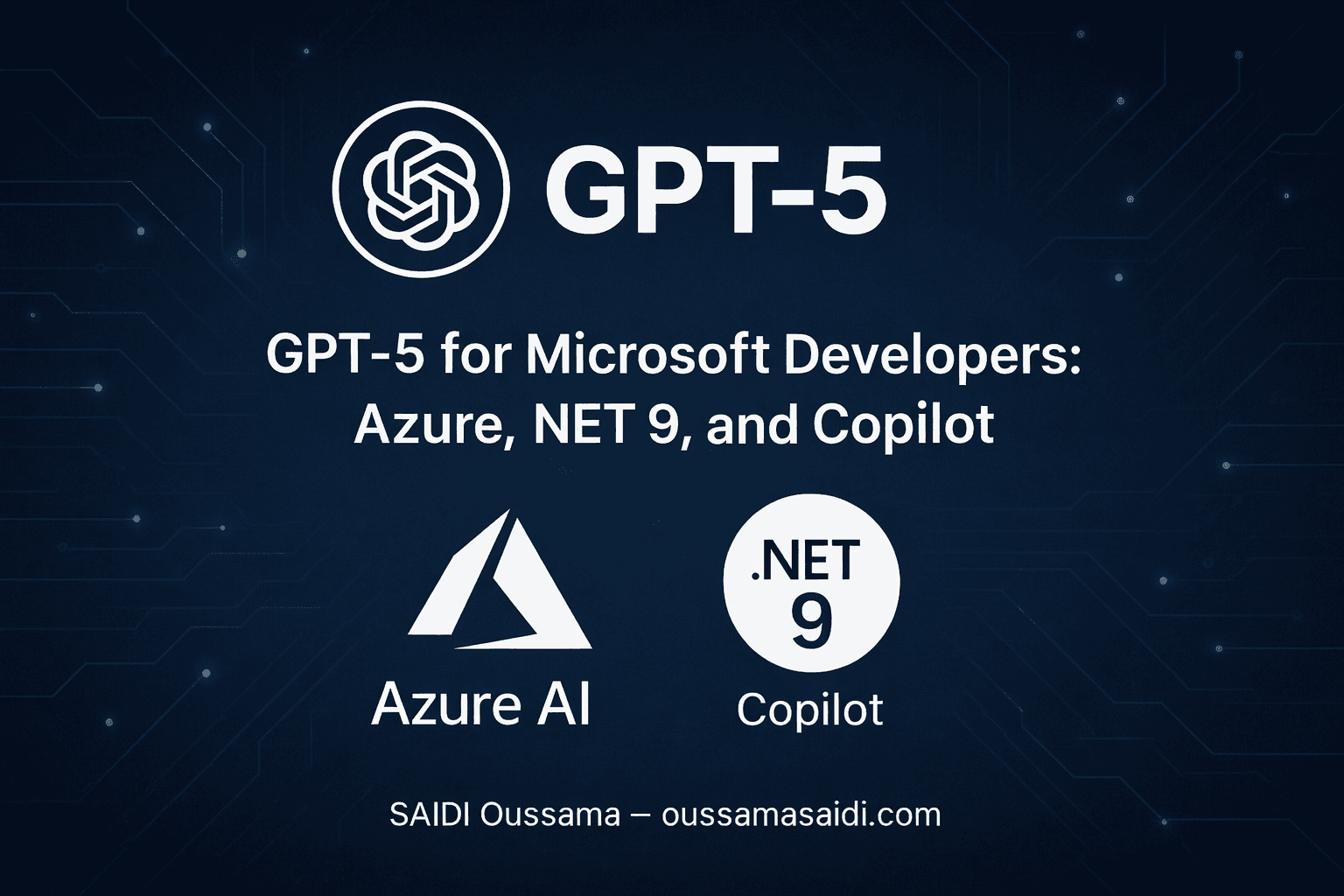
GPT-5 is now available to developers via Azure AI Foundry (formerly Azure OpenAI). You can use it from .NET 9 with Azure.AI.OpenAI or via the Microsoft.Extensions.AI abstraction. Key scenarios include agents/tooling (tool calling), structured outputs, RAG with Azure AI Search, VS Code/GitHub Copilot integration, and enterprise controls (Content Safety, EU data). Direct access to the gpt-5 model requires registration; gpt-5-mini, gpt-5-nano, and gpt-5-chat are more widely available. Check regional availability and pricing before deployment.
In This Article
- 1) Why GPT-5 Changes the Game for Microsoft
- 2) GPT-5 Availability, Variants & Regions
- 3) Where GPT-5 Fits Into the Microsoft Ecosystem
- 4) GPT-5 Choosing Your Integration Path (.NET)
- 5) Getting Started in .NET 9: Chat + Streaming (C#)
- 6) GPT-5 Tool Calling & Structured Outputs (C#)
- 7) GPT-5 RAG with Azure AI Search (C#)
- 8) GPT-5 Security, Governance & Compliance
- 9) Costs, Performance & Scaling GPT-5
- 10) Best Practices & Anti-Patterns
- 11) Quick FAQ
- 12) T-5 Resources (Official & Useful)
- Last articles
1) Why GPT-5 Changes the Game for Microsoft
Microsoft announced the general availability of GPT-5 in Azure AI Foundry: better reasoning capacity, deeper tooling/agents, and integration into developer workflows (VS Code, GitHub Copilot). Microsoft Azure
2) GPT-5 Availability, Variants & Regions
The GPT-5 series includes: gpt-5 (full reasoning), gpt-5-mini, gpt-5-nano (very low latency), and gpt-5-chat. Access: registration is required for gpt-5; not required for gpt-5-mini/nano/chat. Regions (as of August 12, 2025): East US 2 and Sweden Central for the GPT-5 series (Data Zones and Global Standard depending on model). For EU data residency, target Sweden Central (EU Data Zone).
Microsoft Learn
Note (France): As of August 25, 2025, GPT-5 is not yet exposed in France Central; use Sweden Central to remain within the EU zone. Microsoft Learn
3) Where GPT-5 Fits Into the Microsoft Ecosystem
- Azure AI Foundry: Portal, API, and model router to orchestrate GPT-5 alongside other models. Microsoft Azure
- VS Code & GitHub Copilot: Progressive deployment of GPT-5 to improve generation/refactoring and agent tasks. Microsoft Azure
- Azure AI Search (formerly Cognitive Search): Vector/hybrid RAG engine + OpenAI/Foundry integration. Microsoft Learn
4) GPT-5 Choosing Your Integration Path (.NET)
A. SDK Azure direct (Azure.AI.OpenAI)
Baseline Azure-oriented approach — ideal if you’re leveraging Foundry, deployments, Entra ID (keyless), the Responses API, and “On your data” extensions. Microsoft Learn
B. Abstraction Microsoft.Extensions.AI
Unified interface (IChatClient, middlewares, DI) to plug Azure OpenAI, OpenAI, Inference/GitHub models, or even Ollama with almost identical code. Microsoft Learn
Recommendation: For long-term .NET 9 products, combine Extensions.AI (portability, middlewares) + Azure.AI.OpenAI (Foundry features and Azure security). Microsoft Learn
5) Getting Started in .NET 9: Chat + Streaming (C#)
Prerequisites
- Azure AI Foundry (OpenAI) resource in Sweden Central (EU)
- Deployment of a
gpt-5-chatorgpt-5-minimodel - Microsoft Entra ID authentication (recommended), otherwise API key
- Packages:
Azure.AI.OpenAI,Azure.Identityoussamasaidi.com
GPT-5 Minimal Example (Streaming)
// .NET 9 / C# 13
// dotnet add package Azure.AI.OpenAI
// dotnet add package Azure.Identity

using System.ClientModel; // si nécessaire selon version SDK
using Azure;
using Azure.AI.OpenAI;
using Azure.Identity;

var endpoint = new Uri(Environment.GetEnvironmentVariable("AZURE_OPENAI_ENDPOINT")!);
// Nom du déploiement créé dans Foundry (ex: "gpt5chat-eu")
var deployment = Environment.GetEnvironmentVariable("AZURE_OPENAI_DEPLOYMENT_NAME")!;

var client = new AzureOpenAIClient(endpoint, new DefaultAzureCredential());

// Requête "chat completions" avec streaming
var options = new ChatCompletionsOptions
{
    DeploymentName = deployment,
    Temperature = 0.2f,  // déterministe en prod
    MaxOutputTokenCount = 800
};
options.Messages.Add(new ChatRequestSystemMessage(
    "Tu es un assistant C# concis. Réponds en français."));
options.Messages.Add(new ChatRequestUserMessage(
    "Explique la différence entre Task et ValueTask en .NET."));

await foreach (var update in client.GetChatCompletionsStreamingAsync(options))
{
    if (update.ContentUpdate != null)
    {
        Console.Write(update.ContentUpdate);
    }
}
Console.WriteLine();
Streaming improves perceived latency on the UI and works natively with the Azure SDK. Entra ID authentication (keyless) avoids managing secrets in the app. Microsoft Learn
6) GPT-5 Tool Calling & Structured Outputs (C#)
Structured outputs require a JSON Schema that the model must adhere to — ideal for extracting entities, driving functions, or composing robust workflows. Combine them with tool calling for reliable tool-enabled calls (weather, SQL, payment, etc.). Microsoft Learn
// Exemple: extraire un "Contact" typé + décider d'appeler un outil "send_email"
using Azure.AI.OpenAI;
using System.Text.Json.Nodes;

// 1) Définir le schema de sortie
var contactSchema = new
{
    type = "object",
    properties = new {
        name = new { type = "string" },
        email = new { type = "string", format = "email" },
        subject = new { type = "string" }
    },
    required = new[] { "name", "email", "subject" },
    additionalProperties = false
};

// 2) Préparer la requête avec structured outputs + tool
var opts = new ChatCompletionsOptions { DeploymentName = deployment };
opts.Messages.Add(new ChatRequestSystemMessage("Tu extrais un contact et proposes l'envoi d'un email."));
opts.Messages.Add(new ChatRequestUserMessage(
    "Peux-tu écrire à Oussama Saidi (oussama.saidisbz@gmail.com) au sujet de la facture 2025 ?"));

opts.ResponseFormat = ChatResponseFormat.CreateJsonSchemaFormat(
    jsonSchemaFormatName: "contact_schema",
    jsonSchema: BinaryData.FromObjectAsJson(contactSchema),
    jsonSchemaIsStrict: true
);

// Déclarer un outil en free-form (selon SDK) ou via Tools collection
opts.Tools.Add(ChatCompletionsFunctionToolDefinition.CreateFunctionTool(
    functionName: "send_email",
    functionDescription: "Envoie un email via le système interne",
    parameters: BinaryData.FromString("""{"type":"object","properties":{"to":{"type":"string"},"subject":{"type":"string"},"body":{"type":"string"}},"required":["to","subject","body"]}""")
));

var result = await client.GetChatCompletionsAsync(opts);
var choice = result.Value.Choices[0];

// 3) Lire la sortie structurée et (si présent) les appels d'outil
var json = choice.Message?.Content[0].Text; // JSON strict conforme au schéma
Console.WriteLine(json);

foreach (var toolCall in choice.Message?.ToolCalls ?? [])
{
    if (toolCall.FunctionName == "send_email")
    {
        // Appeler votre back-end d'envoi et renvoyer le résultat à GPT si nécessaire
    }
}
Key takeaway: Prefer structured outputs over “JSON mode” (stricter) and use tool calling for auditable/traced actions. Microsoft Learn
7) GPT-5 RAG with Azure AI Search (C#)
Azure AI Search (the new name for Azure Cognitive Search) offers vector indexes, hybrid search, semantic ranker, and official RAG tutorials — perfect to ground GPT-5 on your private data. Microsoft Learn
// RAG minimaliste: 1) récupérer des passages, 2) les injecter au prompt
// dotnet add package Azure.Search.Documents
using Azure.Search.Documents;
using Azure.Search.Documents.Models;
using Azure.AI.OpenAI;

var search = new SearchClient(
    new Uri(Environment.GetEnvironmentVariable("AZURE_SEARCH_ENDPOINT")!),
    indexName: "docs-index",
    new Azure.AzureKeyCredential(Environment.GetEnvironmentVariable("AZURE_SEARCH_KEY")!)
);

// 1) Recherche hybride (mot-clé + vectorielle si configurée)
var queryText = "Politique de remboursement 2025";
var results = await search.SearchAsync<SearchDocument>(queryText,
    new SearchOptions { Size = 5, QueryType = SearchQueryType.Semantic });

var passages = new List<string>();
await foreach (var r in results)
{
    passages.Add(r.Document.TryGetValue("content", out var c) ? c?.ToString() ?? "" : "");
}

// 2) Composer le message système avec contextes « cités »
var sys = "Tu réponds depuis les extraits fournis, cite les sources si possible.";
var ctx = string.Join("\n---\n", passages.Select((p,i)=> $"[Doc {i+1}]\n{p}"));

var rag = new ChatCompletionsOptions { DeploymentName = deployment, Temperature = 0 };
rag.Messages.Add(new ChatRequestSystemMessage(sys + "\n\nContexte:\n" + ctx));
rag.Messages.Add(new ChatRequestUserMessage("Quelle est la durée de rétractation ?"));

var ragResp = await client.GetChatCompletionsAsync(rag);
Console.WriteLine(ragResp.Value.Choices[0].Message.Content[0].Text);
For advanced RAG pipelines: agentic retrieval, vector stores, native indexers, and Foundry/Prompt Flow integrations. Microsoft Learn
8) GPT-5 Security, Governance & Compliance
- Content Safety: Built-in protections (e.g., prompt shields) on prompts/responses.
- Evaluation & Telemetry: Real-time quality/security metrics to Azure Monitor/App Insights; Purview/Defender integrations.
- Data Zones: Choose EU Data Zone (Sweden Central) for data residency.
These are highlighted for GPT-5 in Foundry and complemented by your internal policies. Microsoft Azure
9) Costs, Performance & Scaling GPT-5
- Azure OpenAI Pricing: Check the official page (GPT-5 SKUs may appear later after GA announcement). Avoid hardcoding prices.
- OpenAI Pricing (Direct): If using OpenAI outside Azure, refer to the pricing page for GPT-5/mini/nano.
- Optimization: Batching, input caching, low
temperaturein production, model router in Foundry to balance cost/performance per task.. Microsoft Azure
10) Best Practices & Anti-Patterns
To do:
- Prefer Entra ID (keyless) + Managed Identity in production
- Limit context (chunking + citations); check max tokens per model
- Use structured outputs for critical integrations
- Add guardrails: Content Safety, filters, automated tests
- Evaluate prompts with Microsoft.Extensions.AI.Evaluation in CI/CD
To avoid:
- High
temperaturein production - Injecting secrets in clear text
- Mixing regions/resources without residency constraints
- Relying only on “JSON mode” instead of structured outputs
11) Quick FAQ
Is GPT-5 available in France Central?
Not as of August 25, 2025. Use Sweden Central (EU Data Zone) to stay within the EU.
Do I need to register?
Yes, for gpt-5 (full reasoning). Variants gpt-5-mini/nano/chat are more widely accessible.
Do Copilot/VS Code benefit from GPT-5?
Yes, Microsoft has communicated deployment in GitHub Copilot/VS Code to improve reasoning and refactoring. Source
Which should I start with: Direct SDK or Microsoft.Extensions.AI?
Start with Extensions.AI for portability/middlewares while retaining Azure.AI.OpenAI for Foundry-specific features.
Microsoft Learn GitHub
12) T-5 Resources (Official & Useful)
- Azure AI Foundry GPT-5 GA announcement — overview, security, model router.
- Model & regions table (MS Learn) — GPT-5 series, Data Zones, capabilities.
- Quickstart Chat & Entra ID auth (.NET) — code, streaming, best practices.
- Structured Outputs & Function Calling — designing schemas/tools.
- Microsoft.Extensions.AI docs —
IChatClient, middlewares, DI. - Azure AI Search (RAG) — rename, concepts, quickstarts.Microsoft Learn
If this article helped you, consider supporting my work.
☕ Buy me a coffeeLast articles
- React 19 & Vite: Build Fast Frontends for .NET Developers
 Introduction: Why .NET Developers Need Modern Frontend Tools For many years, ASP.NET developers have focused mainly on server-side rendering using technologies like ASP.NET MVC, Razor Pages, and Blazor. While these frameworks remain powerful, the modern web has evolved rapidly. Today, users expect instant load times, smooth UI…
 - RESTful API best practices with ASP.NET Core Part 2Testing, Performance, Security, Microservices & Deployment Introduction: From Solid Foundations to Production Excellence In Part 1 of RESTful API Mastery, we established the architectural and technical foundations required to build reliable, evolvable RESTful APIs with ASP.NET Core. However, a well-designed API only becomes truly valuable when it…
- RESTful API Best Practices with ASP.NET CoreProfessional Best Practices, Versioning Strategies & Advanced Serialization (Part 1) In this blog Introduction: Building Enterprise-Grade RESTful APIs with ASP.NET Core RESTful API Mastery with ASP.NET Core is a strategic engineering task, not a mechanical implementation detail. In modern .NET platforms, APIs must be predictable, evolvable, secure,…