
Net 8 Test Driven Design Architecture 7 Proven Patterns to Build Robust, Maintainable Systems

Introduction to Test Driven Design — What this guide covers
If you want a battle-tested approach to designing systems that are maintainable, testable, and production-ready, .Net 8 Test Driven Design Architecture combines the stability of .NET 8 with Test Driven Design discipline and modern architecture patterns. This guide gives patterns, pragmatic examples, and a checklist so you can start a new project or refactor an existing one with confidence.
Quick platform facts: .NET 8 is a Long-Term Support (LTS) release from Microsoft and includes platform improvements for ASP.NET Core, Blazor, performance, and tooling. Official downloads and SDKs are available from Microsoft’s .NET download pages.
Why choose .NET 8 for Test Driven Design Architecture
Stability & LTS: .NET 8 is officially supported as an LTS release, which makes it an excellent base for long-lived applications. This matters for enterprise-grade architecture decisions (security support, predictable update cadence).
Tooling & productivity: Visual Studio (and VS Code) support .NET 8 tooling, plus CLI workflows (dotnet), hot-reload, and advanced test experiences that integrate with Test Driven Design . The .NET 8 runtime and SDK are continuously updated on Microsoft’s download and release pages.
Ecosystem: EF Core, ASP.NET Core, Blazor, and the testing ecosystem (xUnit, NUnit, Moq, etc.) are all mature on .NET 8, reducing friction when designing test-first systems.
Core principles of Test Driven Design
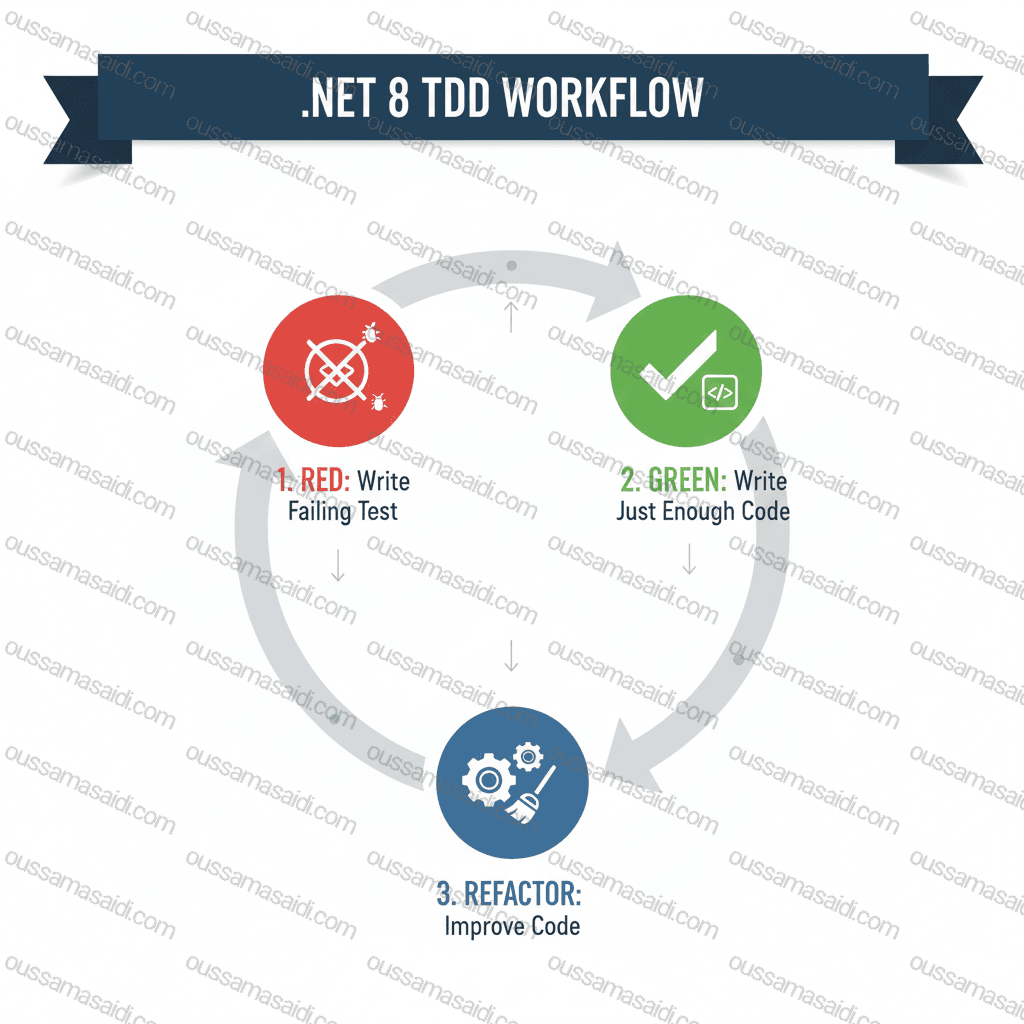
Test Driven Design is more than tests — it’s a design feedback loop:
- Red — write a failing test expressing the requirement.
- Green — implement the simplest code to pass the test.
- Refactor — clean the code maintaining tests.
Combine TDD with design techniques (SOLID, Clean Architecture) so tests drive modular, decoupled code. Keep tests small, fast, and deterministic. Use the tests to document behavior and guide refactoring.
High-level architecture patterns
Hexagonal (Ports & Adapters) — keeps domain logic isolated behind ports. Tests target ports and core domain without touching infra concerns.
Clean Architecture — separates Presentation, Application, Domain, and Infrastructure layers. In TDD, start with domain tests, then application tests, pushing outwards into integration tests for adapters.
Modular Monolith — for many .NET teams, a well-structured monolith with strict module boundaries and test suites is preferable to premature microservices.
Test Driven Design Project structure and solution layout (practical)
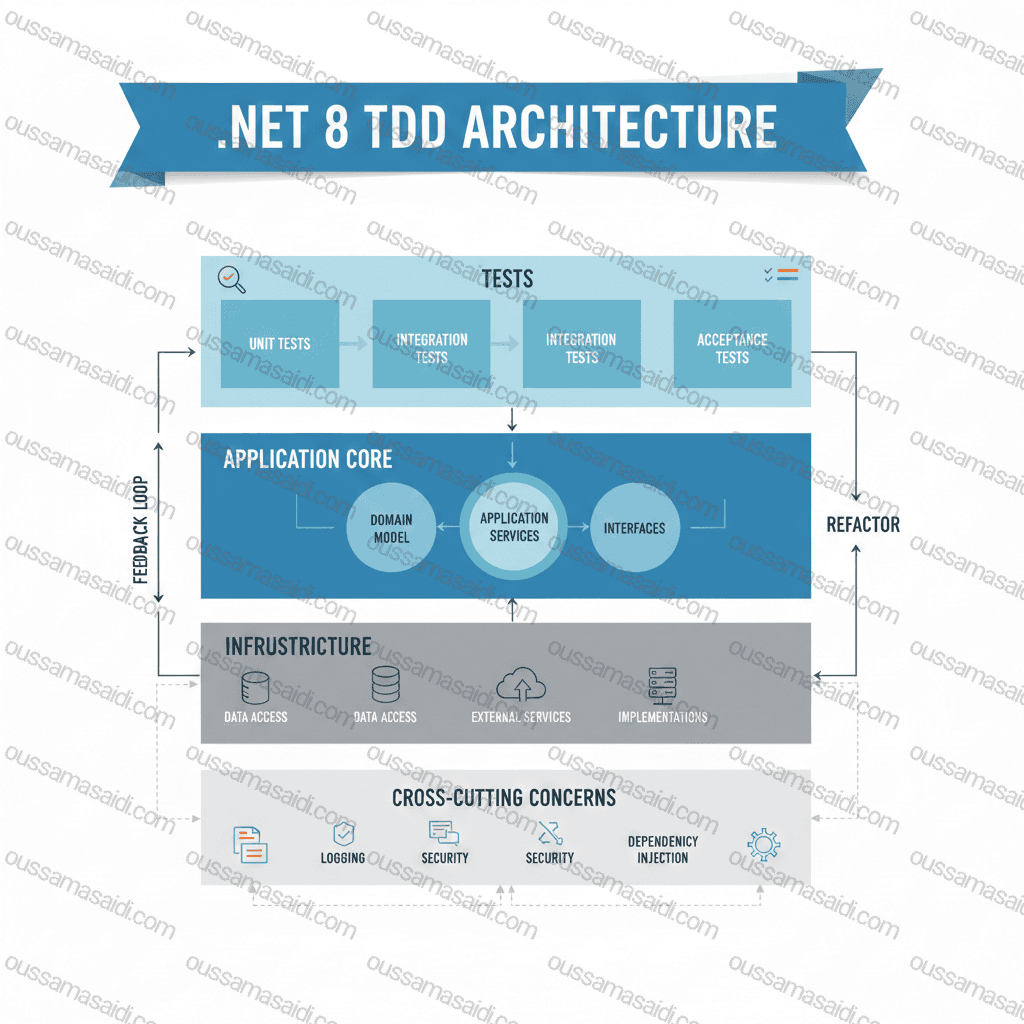
A common starting layout:
src/MyApp.API(ASP.NET Core minimal APIs / controllers)MyApp.Application(use-cases, DTOs)MyApp.Domain(entities, domain services)MyApp.Infrastructure(EF Core, external integrations)MyApp.Shared(shared types)
tests/MyApp.Domain.TestsMyApp.Application.TestsMyApp.Integration.Tests(uses TestServer or containerized DB)MyApp.Api.Tests(contract / e2e)
Create test projects mirroring implementation projects. Keep tests isolated and fast: unit tests should not talk to databases.
Test Driven Design Dependency management & DI in .NET 8
Use the built-in DI container for standard cases; for advanced scenarios, use factories or the IServiceProvider only at composition roots. Register dependencies explicitly and keep lifetimes sensible (singleton for stateless services, scoped for request-bound, transient for short-lived). In tests, use constructor injection and test doubles to replace implementations.
Testing pyramid & priority
- Unit tests (largest number): target domain logic and pure functions. They must be fast and deterministic.
- Integration tests: verify behaviors between components (EF Core with InMemory or Testcontainers).
- Contract tests: useful when your app integrates with other teams/services.
- End-to-end tests: fewer, but validate full flows; use them sparingly due to brittleness.
For .NET 8, integration tests often use WebApplicationFactory<T> (for ASP.NET Core) or TestServer for in-process testing.
Test Driven Design workflows with .NET 8 tooling
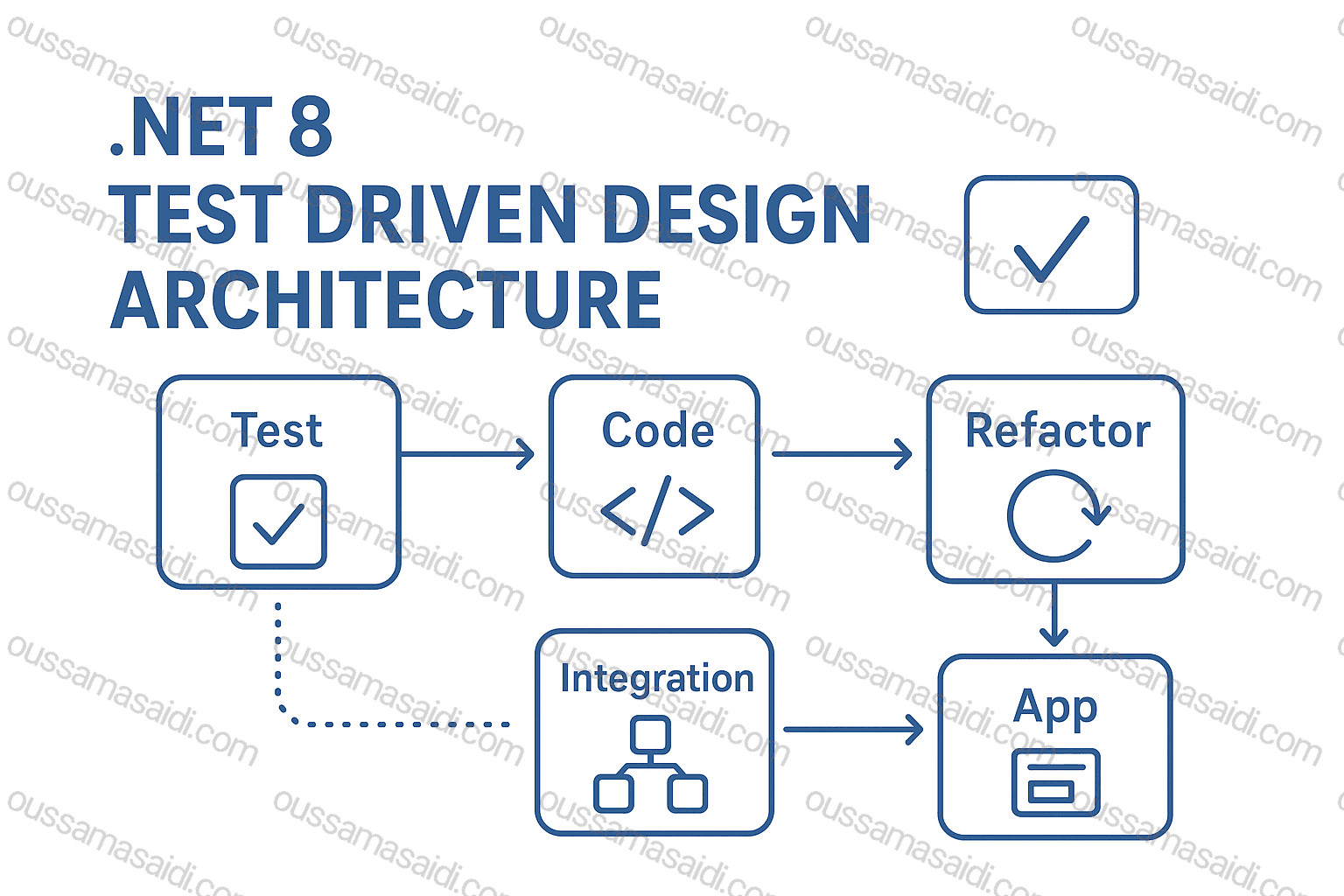
Recommended stack:
- Test frameworks: xUnit (popular), NUnit, or MSTest.
- Mocking: Moq, NSubstitute, FakeItEasy depending on style.
dotnet testfor CLI runs, anddotnet watch testfor TDD loops.- IDE: Visual Studio Live Unit Testing (if available) accelerates feedback.
Example minimal TDD cycle in CLI:
dotnet new xunit -n MyApp.Domain.Tests
# write failing test
dotnet test
# implement minimal code in src
dotnet test
# refactor
Mocking & seams
Favor designing seams (abstractions) over complex mocking. For external systems, create small adapter interfaces (e.g., IEmailSender, IClock) and mock those. Use Moq or NSubstitute to verify interactions. For EF Core, prefer integration tests against a transient DB (SQLite in-memory or Testcontainers) to catch mapping/SQL issues.
Designing for testability — code techniques
- Constructor injection for dependencies.
- Small cohesive interfaces (Segregate responsibilities).
- Avoid static state (or wrap it for testability).
- Immutability where practical (value objects).
- Pure functions for business rules — easy to unit test.
Domain logic & persistence patterns
Use Domain-Driven Design (DDD) concepts where appropriate:
- Aggregates to maintain invariants.
- Repositories with interface contracts — keep implementation in infra.
- Unit of Work pattern when batching changes (EF Core DbContext often serves this role).
Write domain tests first for invariants; write repository/integration tests to ensure persistence behavior matches domain expectations.
ASP.NET Core and Web APIs on .NET 8
.NET 8 continues to mature minimal APIs and Blazor full-stack options. ASP.NET Core in .NET 8 introduces improvements such as streaming rendering and enhanced forms/navigation in Blazor (see ASP.NET Core release notes). For API testing:
- Unit-test controllers/handlers by testing minimal APIs’ delegate logic.
- Use
WebApplicationFactory<T>for integration tests that boot the real pipeline. - Pay attention to Kestrel configuration and server-level behavior in production.
Observability, CI/CD & secure pipelines
- Logging:
ILogger<T>everywhere; configure structured logging (Serilog or similar). - Health checks: use ASP.NET Core health checks for liveness/readiness.
- Metrics: integrate Prometheus exporters or Application Insights.
- CI: GitHub Actions or Azure DevOps; gate merges via
dotnet test, static analysis, and code coverage thresholds.
Set up pipelines to run fast unit tests on PRs and slower integration tests on scheduled builds or main-branch runs.
Containerization & performance
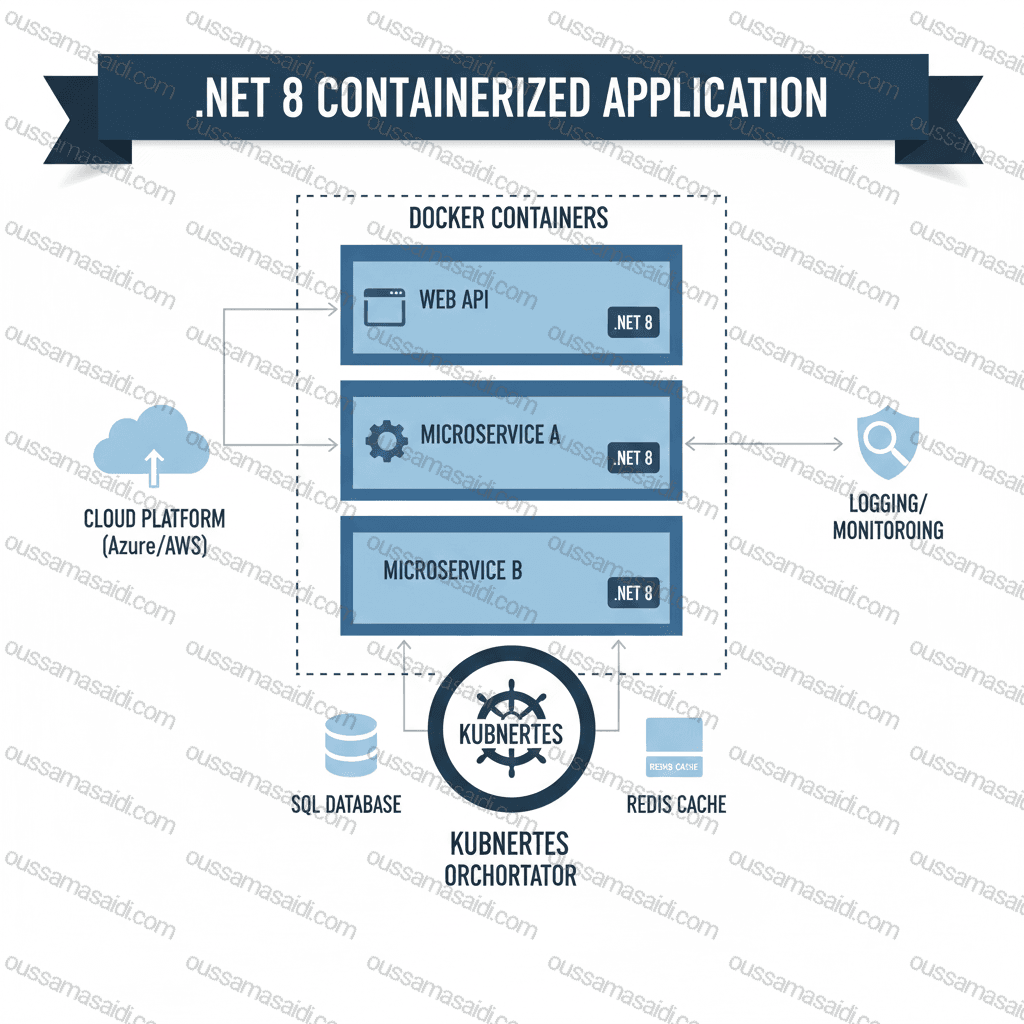
.NET 8 continues to push smaller container images and better trimming/AOT support (to reduce image size). Build multi-stage Dockerfiles and use runtime-only images for deployments. Profile with dotnet-trace, dotnet-counters and adjust GC settings for high-throughput services. Official .NET downloads and SDK updates are kept on Microsoft pages.
Migration tips from .NET 6/7 to .NET 8
- Review breaking changes in official release notes and test your full suite.
- Adopt C# 12 features gradually; ensure toolchain support (compiler, analyzers).
- Update libraries and re-run integration tests to catch runtime issues.
Test Driven Design Anti-patterns & common pitfalls
- Over-testing implementation details: prefer behavior tests.
- Brittle integration tests: avoid relying on fragile external resources; use containers or harnesses.
- Slow test suites: prioritize fast unit tests, parallelize test runs.
- Test order dependence: ensure tests are isolated.
Checklist: Start a new .Net 8 Test Driven Design Architecture project
- Create solution with clear project separation (
Domain,Application,Infrastructure,Api). - Add test projects per layer.
- Configure DI composition root in API project only.
- Add CI pipeline to run
dotnet restore,dotnet build,dotnet test. - Configure code coverage target and automated static analysis.
- Add health checks, structured logging, and observability hooks.
Frequently Asked Questions (FAQs)
Q1: Is .NET 8 an LTS release and is it safe for production?
A1: Yes — .NET 8 is a Long-Term Support (LTS) release, making it suitable for production-grade systems that need predictable support windows. Official Microsoft docs confirm LTS status and the recommended download/SDK pages.
Q2: Which test frameworks are recommended for TDD on .NET 8?
A2: xUnit is widely used and integrates well with .NET toolchains; NUnit and MSTest are also valid. Pair them with mocking libraries like Moq, NSubstitute, or FakeItEasy depending on preference.
Q3: Should I unit test EF Core directly or use integration tests?
A3: Prefer unit tests for domain logic. For EF Core behavior, use integration tests (SQLite in-memory or Testcontainers) to verify mappings and queries. This reduces false confidence from purely mocked EF tests.
Q4: How do I structure my solution for maintainability?
A4: Use layer separation — Domain, Application, Infrastructure, Api — and keep tests mirrored by layer. Use small interfaces and keep composition at the API/composition root.
Q5: What tools accelerate the TDD loop on .NET 8?
A5: dotnet watch test for CLI rapid feedback, Visual Studio Live Unit Testing where available, and dotnet CLI tasks integrated into your editor are highly effective.
Q6: Any security notes specific to .NET 8?
A6: Keep SDK/runtime patched (Microsoft publishes updates regularly). Monitor release notes and security advisories for ASP.NET Core or Kestrel vulnerabilities and apply patches promptly.
Q7: Can I use minimal APIs with TDD?
A7: Yes. Minimal APIs are testable: isolate business logic in service layers and unit test those. Use WebApplicationFactory for integration tests of the endpoint wiring.
Further reading / official references:
- Microsoft: What’s new in .NET 8. Microsoft Learn
- Microsoft Dev Blog: Announcing .NET 8. Microsoft for Developers
- Download and SDKs: Official .NET download page. Microsoft
If this article helped you, consider supporting my work.
☕ Buy me a coffee